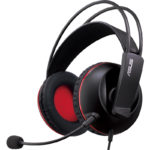
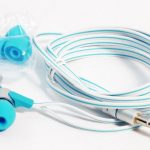
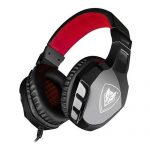
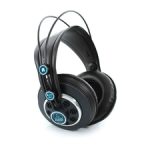
 Headphones for a computer are deservedly considered a “must have” accessory for every advanced user of modern devices. They not only help to “plunge” into the process, isolating the listener from the surrounding noise, but also help to avoid conflicts in families, allowing the PC user not to interfere with other extraneous sounds created. What accessory can rightfully carry the title of “best computer headphone”? What technical indicators should be based on the choice of headphones for the computer? And also, which manufacturers of stereo “ears” deserve the trust of the buyer? Let's get it right.
Content
Main settings
Before starting a review of technical specifications, the computer user should decide what kind of "ears" will satisfy his needs to the maximum. In the modern market of accessories for electronics, two main types are presented:
- cable (imply the presence of wire);
- wireless (Bluetooth, IR, radio headphones).
In terms of sound quality, most wireless headphones lose due to the possible presence of various kinds of interference when they are directly used. Comfort of use due to lack of cable is the main advantage of this type of device. However, using it in front of the PC screen, minimally moving around the room, the user is unlikely to be disturbed by the wire, and poor-quality sound, on the contrary, can cause unpleasant emotions from using the acquired “ears”. Accordingly, choosing good headphones for a computer, you should not make the type of accessory the determining criterion. The indicators related to the technical component of the device will be much more informative.
- Range of reproduced frequencies. Cheap or expensive, with or without a microphone, used exclusively for programs such as skype, or as a device that plays music of various genres - all headphones reproduce exclusively those frequencies that can be perceived by the human ear - from 20 Hz to 20 kHz. Giving preference to an accessory with declared parameters significantly higher than those indicated, the buyer risks overpaying for the marketing “trick” of the manufacturer or, in the worst case, getting distorted sound.
- Resistance (impedance) is one of the indicators that determine the quality and volume of sound reproduced by the “ears”. High-resistance devices require their use with powerful stationary devices or a good amplifier. They are commonly used in record studios. Headphones for PC, used at home, should have an average impedance of 32 to 100 ohms.
- Frequency response (AFC) is a curve that describes the accuracy of the transmitted frequencies. To obtain the most accurate transmission of the audio stream, you should give preference to an extremely smooth frequency response graph.
- Harmonic Distortion Factor (THD) is the most objective criterion for sound quality, reflecting possible inaccuracies in transmitting audio to the user's ears. Headphones included in the top best have an indicator of 0.5% or lower.
- Sensitivity guides the buyer in the characteristic volume of the accessory. With all the same initial conditions, a device with a large indicator in question will sound significantly louder. Correctly selected "ears" for the computer will ensure the comfort of their use with average sensitivity values - from 100 to 120 dB.
After analyzing the range of headphones offered by manufacturers in terms of technical components, the buyer should pay attention to the properties of the accessory, which are important directly when using it with a PC:
- type of;
- mounting method;
- microphone.
Headphones are divided into devices of open and closed type. Based on this indicator, the best headphones for the computer will be closed, not letting the sound out and providing the listener with “bass” transmission of the audio stream. An open accessory, despite the audibility for others listening to user content, have a more “clean” sound.
Advanced headphone manufacturers most often use 4 main methods of fixing the product, which one should be chosen based on your own preferences:
- sliding (“cups” are connected by dense, darkened arcs covering the upper part of the head);
- occipital (“arm” holding the structure on the user's head, located on the back of the head);
- earloop ("cups" are attached directly to the ear of the listener through the earhooks or clips);
- plug-in (headphones are placed in the ear canal).
The importance of having a microphone provided should also be determined by individual needs. Obviously, when purchasing a headset for communication via Skype, the buyer should first of all pay attention to his presence. In other cases - to watch movies, listen to music, games, priority will be given to loud and inexpensive “ears”, regardless of the opportunity to communicate with them.
List of top "ears" for PC
To determine the model of an accessory that best meets the basic needs of an advanced computer user, a rating of popular “ears” of 2019 will help. Knowing the main positive and negative aspects of their use, it will not be difficult for a buyer to choose the ideal headphone for himself, with a minimum number of shortcomings, for a computer.
Sennheiser PC 2 CHAT
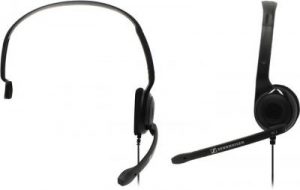
- Type: overhead
- Frequency range: 42 Hz - 17 kHz
- Impedance: 32 ohms
- Sensitivity: 95 dB
- The presence of a microphone - there is
- Cable length - 2 m
- Weight - 55 g
- quality assembly
- good sound for its price range
- acceptable microphone noise reduction
- thin wire
- lack of full sound insulation
Razer Kraken Pro 2015
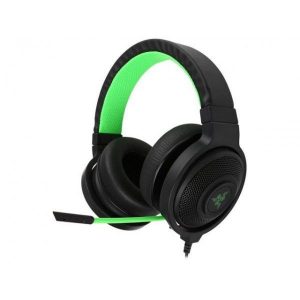
- Type: Overhead, Full Size
- Frequency range: 20 Hz - 20 kHz
- Impedance: 32 ohms
- Sensitivity: 110 dB
- The presence of a microphone - there is
- Cable Length - 2 m / 1.3 m
- Weight - 293 g
- balanced sound transmission
- comfort of use during long-term operation
- 7.1 surround sound
- quality assembly
- design
- "Passing" sound "out"
- medium-quality microphone
- lack of volume control on the wire
Sennheiser G4ME ONE
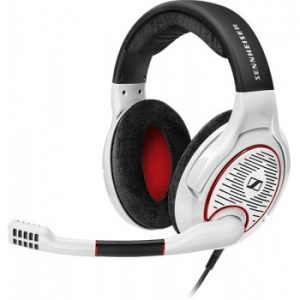
- Type: overhead, open
- Frequency range: 15 Hz - 28 kHz
- Resistance: 50 Ohm
- Sensitivity: 116 dB
- The presence of a microphone - there is
- Cable Length - 3m / 1.2m
- Weight - 312 g
- ergonomics
- design
- surround sound
- “Advanced” equipment
- lack of discomfort during prolonged use
- cost
- low noise isolation
- average microphone quality
Gembird MHS-780B
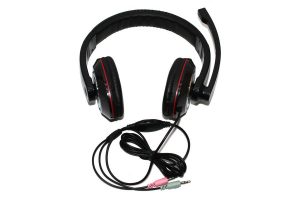
- Type: Overhead, Full Size
- Frequency range: 20 Hz - 20 kHz
- Impedance: 32 ohms
- Sensitivity: 105 dB
- The presence of a microphone - there is
- Cable length - 1.8 m
- Weight - 320 g
- dense arrangement of the headband and "cups" on the user
- presence of volume control on the wire
- convenient microphone
- acceptable sound quality for the price category of goods
- lack of sound insulation
- hard ear pads
A4Tech Bloody G501
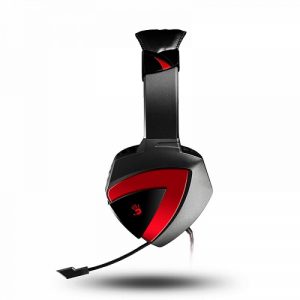
- Type: Overhead, Full Size
- Frequency range: 20 Hz - 20 kHz
- Impedance: 32 ohms
- Sensitivity: 100dB
- The presence of a microphone - there is
- Cable Length - 2.2 m
- Weight - 590 g (in package)
- soft ear pads
- design
- quality assembly
- durable cord
- acceptable sound insulation for the price category of the product
- discomfort caused by prolonged use
- low-quality manufacture of the volume control panel on the cable
- mediocre microphone without sound cancellation
Defender Warhead HN-G110
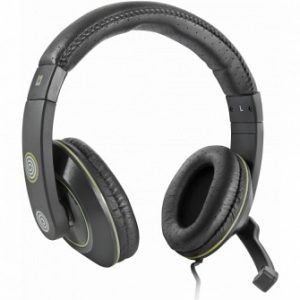
- Type: Overhead, Full Size
- Frequency range: 20 Hz - 28 kHz
- Impedance: 32 ohms
- Sensitivity: 106 dB
- The presence of a microphone - there is
- Cable Length - 2.1 m
- Weight - 210 g
- convenient headband adjustment system
- affordable cost
- reliable microphone fixation
- acceptable sound
- the presence of a sound control panel on the wire
- lack of sound insulation
- frequency range
- build quality
- discomfort with prolonged use
Philips SHM6500 / 10
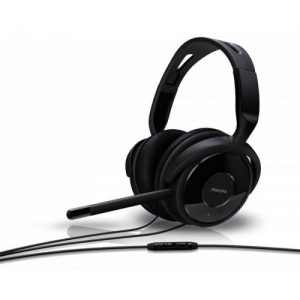
- Type: Overhead, Full Size
- Frequency range: 16 Hz - 22 kHz
- Impedance: 16 ohms
- Sensitivity: 93 dB
- The presence of a microphone - there is
- Cable length - 2 m
- Weight - 210 g
- removable microphone
- acceptable sound
- thoughtful equipment
- normal microphone operation
- comfort with prolonged use
- low-quality cable manufacturing
- unreliable volume control panel design
Logitech G933 Artemis Spectrum
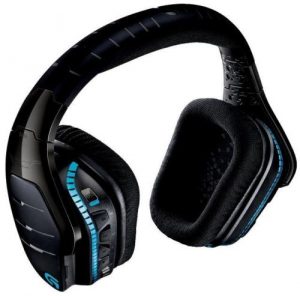
- Type: Overhead, Full Size
- Frequency range: 20 Hz - 20 kHz
- Resistance: 39 Ohm
- Sensitivity: 107 dB
- The presence of a microphone - there is
- Connection Type - Radio Channel
- Battery life - 12 hours
- Cable length - 3 m / 2 m
- Weight - 374 g
- high-end positioning of the transmitted audio
- LED backlight
- balanced frequency reproduction
- auto power off function
- interchangeable ear pads
- 7.1 surround sound
- quiet microphone
- interruptions in wireless connection
- construction weight
- cost
HyperX Cloud Stinger
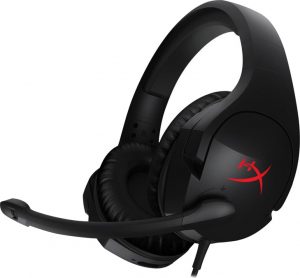
- Type: overhead, closed
- Frequency range: 18 Hz - 23 kHz
- Resistance: 30 Ohm
- Sensitivity: 102 dB
- The presence of a microphone - there is
- Cable Length - 1.3 m / 1.7 m
- Weight - 275 g
- excellent positioning of the reproduced audio
- the weight
- design
- high-quality microphone
- good build
- comfortable for prolonged use
- Flexible microphone design for a short hold
- average noise isolation
Ritmix RH-516M
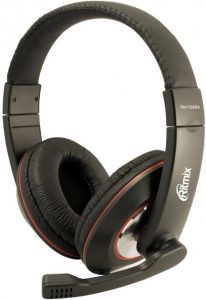
- Type: Overhead, Full Size
- Frequency range: 20 Hz - 20 kHz
- Impedance: 32 ohms
- Sensitivity: 105 dB
- The presence of a microphone - there is
- Cable length - 3 m
- Weight - 205 g
- sensitive microphone
- wear resistant cable
- convenience of long-term operation
- affordable cost
- stylish appearance
- poor frequency transmission
- poor build quality
In choosing a headphone for a computer, it’s more to be based on the intended purpose of the chosen accessory. Bearing in mind the information analyzed in the above article, even a novice PC user can easily choose for himself a headset that meets the basic requirements for design, functionality, cost and technical characteristics.
 |  |  |  |  |  |  |  |  |  |
|
| Title | Sennheiser PC 2 CHAT | Razer Kraken Pro 2015 | Sennheiser G4ME ONE | Gembird MHS-780B | A4Tech Bloody G501 | Defender Warhead HN-G110 | Philips SHM6500 / 10 | Logitech G933 Artemis Spectrum | HyperX Cloud Stinger | Ritmix RH-516M |
| Frequency Response Range | 42 - 17000 Hz | 20 - 20,000 Hz | 15 - 28000 Hz | 20 - 20,000 Hz | 20 - 20,000 Hz | 20 - 28000 Hz | 16 - 22000 Hz | 20 - 20,000 Hz | 18 - 23000 Hz | 20 - 20,000 Hz |
| Sensitivity | 32 ohm | 32 ohm | 50 ohm | 32 ohm | 32 ohm | 32 ohm | 16 ohm | 39 ohm | 30 ohm | 32 ohm |
| Impedance | 95 dB | 110 dB | 116 dB | 105 dB | 100 dB | 106 dB | 93 dB | 107 dB | 102 dB | 105 dB |
| The weight | 55 g | 300 g | 312 g | 230 g | 258 g | 210 g | 210 g | 378 g | 275 g | - |
| Membrane diameter | - | 40 mm | - | 40 mm | 40 mm | 40 mm | 40 mm | 40 mm | 50 mm | 40 mm |
| Price | from 770 rub. | from 6800 rub. | from 9900 rub. | from 400 rub. | from 2300 rub. | from 475 rub. | from 2000 rub. | from 11700 rub. | from 3550 rub. | from 470 rub. |