In a wide assortment, printers with CISS are now available on the market, and it can be difficult to choose a specific model for the home. The use of this technology allows tens of times to reduce the cost of maintaining the printer, but it is important to know what criteria are decisive when choosing this peripheral device.
Content
Features of Inkjet Printers with CISS
The popularity of inkjet devices has not ceased to grow over a long period. Their main advantage is low cost and functionality. Color printing allows you to print not only black and white documents and images, but also photos at home.
Inkjet printers have one big drawback - expensive maintenance. Replacement of ink cartridges is often about a third or more of the cost of the device itself. With the advent of the CISS, the continuous ink supply system, this shortcoming has been eliminated.
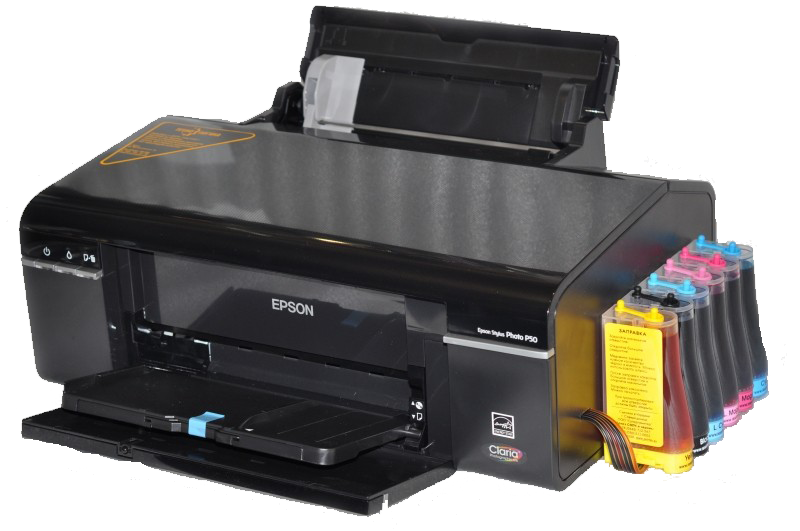
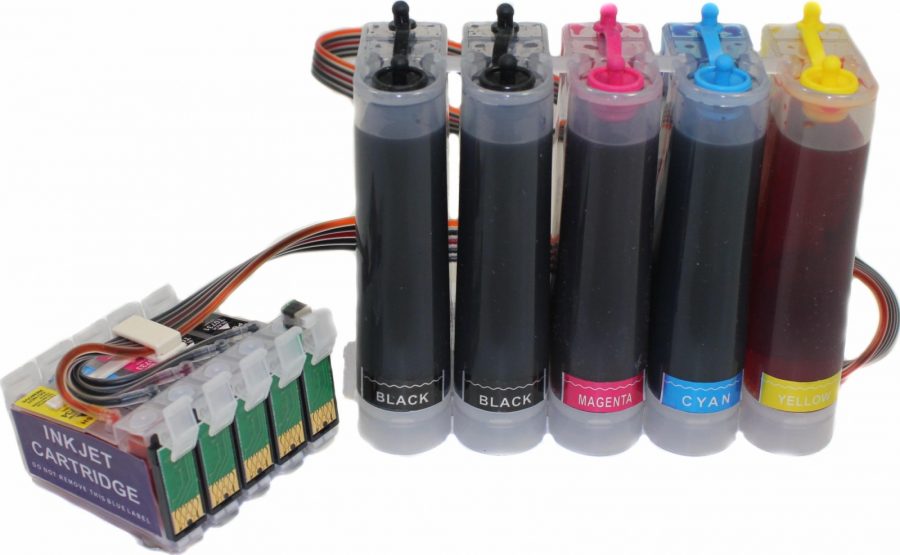
This system consists of several main components:
- cartridge that is installed in the printer;
- containers in which the paint is located;
- a loop of thin tubes for supplying ink.
A feature of using the technology is that cartridge replacement is no longer needed; it is enough to periodically add paint to the containers.
Advantages and Disadvantages of a CISS Printer
If you decide to purchase an inkjet printer, please note that the purchase will be justified only with regular use of the device. When the device is standing for a long time, the ink nozzles may dry out. In any case, if you opted for an inkjet device, it is better to choose a model with a CISS (built-in or installed separately).
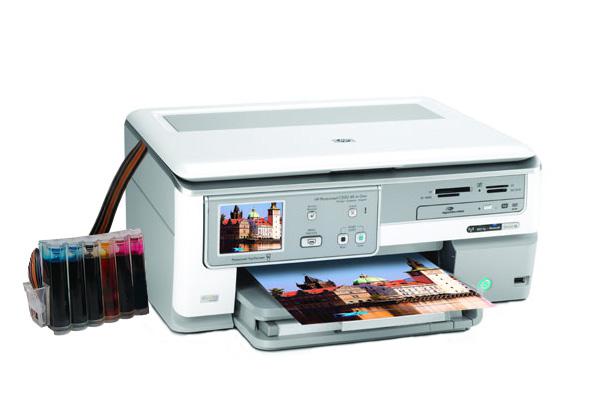
The continuous ink system has many advantages:
- Maintenance of the device becomes much cheaper, since there is no need to regularly purchase new cartridges.
- Reduces the cost of printing one document by reducing the cost of maintenance. Indeed, instead of acquiring expensive cartridges, you will need to purchase only ink, for some budget models even inexpensive, non-original paints are suitable.
- Constant high pressure in the system provides higher print quality. If you decide to buy a printer with an NPS system, you can get better photos.
- Increases device performance. You don’t have to take breaks if the ink in the cartridge runs out, just add ink to the tank in time and continue working, so you can print in large quantities without interruption.
- Simplification of device maintenance significantly increases its resource.
Among the minor flaws of the system, the need for a careful attitude, especially during transfer, can be noted, since paints can be easily spilled.
How to choose an inkjet printer with CISS?
If you are wondering which printer to buy for your home, first decide what you will use it for. Decide whether you will print documents, take home photos, or maybe you are interested in printing on disks, film and other materials. Having found the answers to these questions, you will understand what criteria you need to pay attention to in order to choose a reliable and inexpensive device for printing.
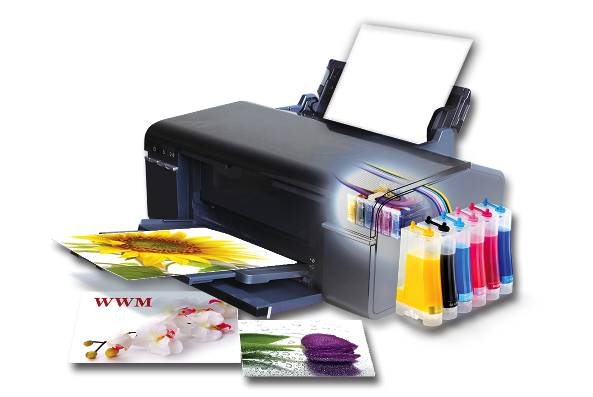
Manufacturers of office equipment produce printers with built-in and installed NPC system. Long gone are the days when manufacturers were against the use of this technology, so you have to choose a model for the house from a wide range.
When choosing an inkjet device with a CISS, pay attention to the following criteria and characteristics:
- print speed. From this indicator depends how much time the printer will spend on printing documents and photos. This indicator is especially important for large volumes of work.For home use, a print speed of 20-25 sheets is sufficient;
- resolution. If you plan to take photos, it is better to buy a printer with a resolution of 4800 × 4800 dpi, but for printing text documents, 1200x1200 dpi is quite enough;
- number of colors. In budget models there are 4 standard colors, which when mixed form various shades and tones. For printing photos, it is better to choose a device with 6 or more colors;
- performance. The performance indicator allows you to estimate how many sheets you can print per day and throughout the month. This indicator can vary from 1000-1500 to 10000 sheets;
- print format. Modern printers with CISS> from the new generation of EPSON manufacturers allow you to print high-quality images in A4, A3 and other formats. If you are looking for a budget option, then choose a model with A4 format;
- size of containers for paint. Choose a device with a capacity of 100 ml, so you will have less to pour paint.
 Note that if nozzles dry out after prolonged use, the printer will fail. You can avoid this if you print several sheets of paper at least once a week. You can automatically configure this function on the computer, so the device will independently service itself.
Rating of the best printers with CISS
Epson L 805
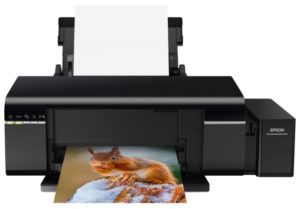
- Printer Type - Piezoelectric Inkjet, Color Printer
- Number of colors - 6
- The number of cartridges - 6
- Maximum format - A4
- Maximum resolution for color printing - 5760 × 1440 dpi
- The maximum print size is 210 × 297 mm
- Minimum drop volume –1.5 pl
- Borderless Printing - Available
- Print speed - 37 ppm (b / w A4), 38 ppm (color A4)
- Paper feed - 120 sheets. (standard)
- Paper output - 50 sheets. (standard)
- Permissible paper density - 64-300 g / m2
- Continuous Ink Supply System - Available
- Interfaces - Wi-Fi, USB 2.0, 802.11n
- Additional features - printing on cards, transparencies, labels, photo paper, CD / DVD, glossy paper, envelopes, matte paper
- OS Compatibility - Windows, Mac OS.
- Case dimensions (WxHxD) –525x257x554 mm
- Weight - 6 kg
- Excellent print quality on photo paper.
- High speed.
- Stylish design.
- There is a wireless connection.
- Built-in CISS, ink supply included.
- Sometimes stripes, constant cleaning is required.
- By wi-fi it prints much slower than through a cable connection.
- Sealing of the print head after printing about 700 sheets.
- There may be problems installing drivers.
The printer model from the Epson Printing Factory series is focused on small businesses and home applications. This device prints excellent vivid photos, files on A4 paper, allows you to print documents with high definition, arrange postcards and envelopes. The printer has high performance. Thanks to the CISS, you can refill ink yourself, saving on the services of craftsmen.
Like all complex printing devices, the Epson L 805 has some disadvantages that should be considered when choosing.
HP Deskjet GT 5810
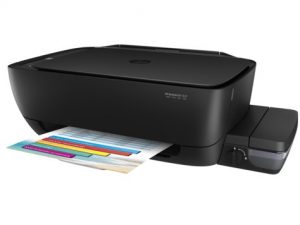
- Type of device - piezoelectric inkjet, color
- Printing technology - thermal inkjet, color.
- Scanner Type - Flatbed
- Maximum format - A4
- Number of colors - 4
- The number of cartridges - 4
- The maximum resolution for color printing is 4800 × 1200 dpi
- The maximum resolution of black and white printing - 1200 × 1200 dpi
- Scanner Resolution - 1200 × 1200 dpi
- The maximum size of the scanner is 216 × 297 mm.
- Maximum print size - 215 × 355 mm
- Borderless Printing - Available
- First sheet out time –13 s (b / w), 17 s (color)
- Print speed - 20 ppm (b / w A4), 16 ppm (color A4)
- Paper feed - 60 sheets. (standard), 60 sheets. (maximum)
- Paper output - 25 sheets. (standard), 25 sheets. (maximum)
- Permissible paper density - 60-300 g / m2
- Continuous Ink Supply System - Available
- Color cartridge / toner yield - 8,000 pages
- Resource b / w cartridge / toner - 5000 pages
- Interfaces - USB 2.0
- Additional features - printing on cards, photo paper, glossy paper, matte paper
- OS Compatibility - Windows, Mac OS.
- Case dimensions (WxHxD) - 537x187x289 mm
- Weight - 4.6 kg
- Three in one.
- Clear, vivid print.
- The heads do not dry out for a long time.
- Does not strip and does not get dirty.
- Convenient management.
- You can connect the CISS.
- No wifi.
- Filing paper from the back; you won’t press the case against the wall.
- Refueling is difficult to do on your own, you need to carry it to the service or call the master at home.
The compact model of the MFP device can be used in the office and at home. The printer prints quickly, quietly, without blots. In addition to documents, it can print clear and colorful photographs. An electronic control panel with a display will quickly be mastered even by someone who first encounters such a device. A special system prevents the ink from drying out on the heads for a long time. By attaching the CISS, you can refill the cartridges yourself.
Epson m100
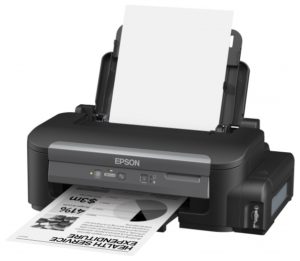
- Device Type - Piezoelectric Inkjet Black and White Printer
- Number of colors - 1
- The number of cartridges –1
- The maximum resolution of black and white printing - 1440 × 720 dpi
- Maximum print size - 216 × 297 mm
- Borderless Printing - Available
- First sheet out time –12 s (b / w)
- Print speed - 34 ppm (b / w A4)
- Paper feed - 100 sheets. (standard), 100 sheets. (maximum)
- Paper output - 50 sheets. (standard), 50 sheets. (maximum)
- Permissible paper density - 60-95 g / m2
- Maximum format - A4
- Continuous Ink Supply System - Available
- Resource b / w cartridge / toner - 6000 pages
- Interfaces - Ethernet (RJ-45), USB 2.0
- Additional features - printing on cards, labels, glossy paper, envelopes, matte paper
- OS Compatibility - Windows, Mac OS.
- Case Dimensions (WxHxD) - 435x148x267 mm
- Weight - 3.4 kg
- Fast print.
- You can connect to multiple computers at once.
- It can work on ink of another company.
- Ink does not get dirty, the print is clear.
- Economical.
- With prolonged downtime, the heads dry.
- If you print a lot, it may start to strip.
A small monochrome printer, designed with the latest technology aimed at efficiency and productivity, is suitable for offices and home use. It is smart enough, so it can be safely connected to several users at once. The cost of printing is very profitable. As with all inkjet printers, a long downtime is not recommended for the Epson M100. Otherwise, it is one of the best black and white printers to date.
Canon PIXMA G2400
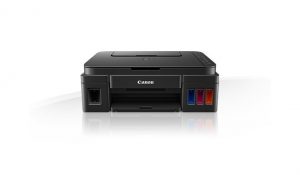
- Device Type - Printer / Scanner / Copier
- Printing Technology - Thermal Inkjet
- Scanner Type - Flatbed
- Number of colors - 4
- The number of cartridges –4
- Scanner Resolution - 600 × 1200 dpi
- Maximum scan size - 216 × 297 mm
- The maximum size of color printing - 4800 × 1200 dpi
- The maximum resolution of black and white printing - 4800 × 1200 dpi
- Maximum print size - 216 × 297 mm
- The maximum resolution of the copier (b / w) - 600 × 600 dpi
- The maximum resolution of the copier (color.) - 600 × 600 dpi
- Maximum number of copies per cycle - 21
- Borderless Printing - Available
- Printing speed - 80 ipm (b / w A4), 5 ipm (color A4)
- Paper feed - 100 sheets. (standard)
- Permissible paper density - 64-275 g / m2
- Maximum format - A4
- Continuous Ink Supply System - Available
- Resource b / w cartridge / toner - 6000 pages
- Color cartridge / toner yield - 7000 pages
- Interfaces - USB 2.0
- Additional features - printing on cards, photo paper, glossy paper, envelopes, matte paper
- OS Compatibility - Windows, Mac OS.
- Case dimensions (WxHxD) - 445x163x330 mm
- Weight - 5.8 kg
- All-in-one in a compact package.
- Inexpensive set of original cartridges.
- High quality photos.
- Large paper tray.
- Can print on cardboard.
- Noisy.
- Heated for a long time.
- Not very economical ink consumption.
The Canon PIXMA G2400 MFP is a stylish black design.
The device will be a good choice for printing documents and photos at home, in the office or in small organizations. The printer maintains print quality even under heavy loads. Special FINE technology heads prevent air from entering the ink supply system.Integrated software My Image Garden allows you to organize, sort and edit photos to quickly find the files you need and run them in print.
Epson m105
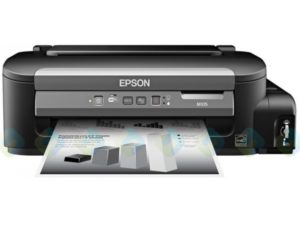
- Device Type - Piezoelectric Inkjet Black and White Printer
- Number of colors - 1
- The number of cartridges –1
- The maximum resolution of black and white printing - 1440 × 720 dpi
- Maximum print size - 216 × 297 mm
- Borderless Printing - Available
- First sheet out time –18c (b / w)
- Print speed - 34 ppm (b / w A4)
- Paper feed - 100 sheets. (standard), 100 sheets. (maximum)
- Paper output - 30 sheets. (standard), 30 sheets. (maximum)
- Permissible paper density - 60-95 g / m2
- Maximum format - A4
- Continuous Ink Supply System - Available
- Resource b / w cartridge / toner - 6000 pages
- Interfaces - Wi-Fi, USB 2.0
- Additional features - printing on cards, transparencies, labels, glossy paper, envelopes, matte paper
- OS Compatibility - Windows, Mac OS.
- Case Dimensions (WxHxD) - 435x148x267 mm
- Weight - 3.4 kg
- Fast, low noise.
- Ink is economically consumed.
- Convenient power location and USB port.
- There is a wireless connection.
- Compact body.
- Built-in CISS.
- You often have to clean the head if the printer is idle.
- The instruction is only in electronic form.
- In fact, the resource is lower than stated.
Our rating is completed by another monochrome model from the Epson Printing Factory line, designed for high loads, despite its small dimensions. The model will be useful where constant printing of documents is required. Fast, low-noise, productive printer Epson M105 is fully consistent with the declared qualities.


More than a year ago I purchased a CanonPixmaG 1400 printer. Personally, I really like it compared to my old printer. The cost itself is acceptable. For use it is only necessary to give in to paint when it finishes. We took the printer for photos. Photo quality is good, the main thing is to set up the printer correctly.
We have been using the Samsung printer for seven years now. I can say this is the best printer. Prints quickly and efficiently. Photos are bright.
Samsung what number?
A decent printer Epson 805, 6 colors is quite suitable even for printing on photo canvas. Easily stretches the sheet and does not smear the image. I use it to make reproductions. So far there have been no problems.
I personally have an Epson 805 printer, 6 colors, and I am very pleased with it. It works without any complaints and does not chew paper. It suits me well for robots.
Printers with CISS are good for everyone, but there are comments. Firstly, it is necessary to periodically print, at least once a week, in order to avoid drying of the ink on the nozzles. Secondly, it is necessary not to redo it, but to buy a printer with a proprietary CISS. Thirdly, use only branded paints, otherwise it is possible to change the color rendering, drying of the paint on nozzles and in cans.
Pretty good money printing photos on a printer. I have Epson with CISS, it has become much cheaper to manage photos, and there are as many customers, earnings have increased compared to a cartridge printer.
The Epson L800 printer helps me in my favorite job, before it I tried many printers, according to their characteristics and usage they were bad and broke quite quickly., This one helps me constantly (when I need to print the image to disk) and make portrait photos of friends, he silent in itself, economical in paint, even on plain paper, took beautiful black and white photographs. In conclusion, I want to point out that the print quality is top class and ink is not expensive at a price.