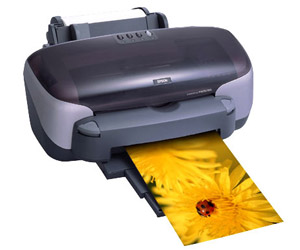
 The invention of inkjet printers has become a real advancement in the printing industry. Initially, the devices were primitive. Gradually, the technology has evolved so that now on a small printer you can print a huge number of sheets with text and images, take vivid rich photos. How to choose the best inkjet printer among a variety of models? Indeed, today "inkjets" differ in many respects and even in printing technology. Our experts will help to understand all the nuances, so that everyone can make a competent choice for themselves.
Content
What is an inkjet printer?
Inkjet printers are printers based on a liquid ink cartridge that ejects them under high pressure through the thinnest nozzles on the printheads. The printer is controlled through a computer or mobile device from which files are transferred.
The nozzle holes are so microscopic that they are thinner than a human hair. From these tiny dots of paint on paper, an image is formed. The average number of nozzles used in modern models is from 16 to 64. But high technology allows you to create devices with 300 nozzles. The more of them, the clearer and better print.
Printers can be standard and wide format. The maximum size of sheets of paper on standard (household) printers is A3. Most printers for home and office have a maximum A4 format. Large-format ones are used in professional printing houses and can pass large banners and posters through themselves.
"Inkjets" are divided into black and white and color. The first uses only one color of paint - black. A color cartridge with 4-8 ink colors is integrated in color models. When mixed, they give a variety of shades.
Principle of operation
The basic principle of operation of any inkjet printer is a movable print head transferring ink to a sheet of paper from an electronic file. Ink supply and control of the movements and directions of the head is carried out by a matrix.
The principle of printing "inkjet" is divided into two main types:
- with continuous ink supply to nozzles;
- with supply of paint on demand.
Most modern models use on-demand ink technology. Ink is supplied only to the area of the sealing surface corresponding to each nozzle.
Design
Regardless of type, inkjet printers consist of the following parts:
- The outer shell.
- Power supply unit.
- Control panels.
- Additional modules and interfaces.
- Paper feed systems.
- Ink Supply Systems.
- Print head and nozzle cleaning systems.
The printer connects to the computer through a wired or wireless connection. The device itself is powered from the network.
Head types
Inkjet printing devices use two types of heads. This is one of the most important parameters; material costs and productivity will depend on it.
Replaceable cartridge mounted head
These heads are integrated directly into the ink cartridge itself. They change with the cartridges when the paint runs out. In terms of quality, interchangeable heads are significantly inferior to stationary ones due to their low cost. They are used in some budget printer models.But today, manufacturers rarely use this system in order not to spoil their reputation. With interchangeable heads, print quality is below average. For the implementation of photographs, color files, documents with infographics, this type of inkjet printer is not recommended for purchase.
Built-in head (stationary)
The print head is built into the printer itself. The stationary appearance of the heads is more reliable, high-quality and wear-resistant. They are designed for increased loads and realize a clear print. To protect the head from damage, a protective system is integrated into the printers, which blocks printing when ink is pumped.
But the built-in heads are not eternal. Over time, they may require replacement. It is unlikely to be able to independently carry out such work. It is necessary to completely disassemble the device, and after reinstalling the head, reprogram the printer. The stationary head itself is not cheap, as is the service to replace it. This is the only minus of such a system.
Inkjet Printing Technologies
Inkjet printers use different printing technologies, each with its own advantages and disadvantages.
Piezoelectric method
The most common option in modern models. A flat piezocrystal is mounted in each nozzle. When the device is activated, an electrical impulse is applied to the piezocrystal, as a result of which it begins to deform, compressing and expanding. When expanded, ink is released and fed through the head onto the paper, leaving a print mark. When spinning, they flow back into the container.
The technology was developed by EPSON, so it is precisely her that owns almost all devices with such a system.
The advantage of the method is high printing speed and economy.
The downside is that the technology requires a high quality ink, otherwise the print may be blurry. These printers are compatible with branded inks only.
Gas Bubble Method (Thermotechnology)
This method is also known as the Bubblejet - hot or bubbly. Each nozzle is equipped with a heating element. When current is applied, each element heats up to a very high temperature - 500 ° C. With such intense heating, gas bubbles form and push the required mass of liquid ink through the nozzle opening.
When the electricity is turned off, the nozzle cools, the bubble decreases and a new portion of liquid paint enters through the hole.
Thermotechnology allows for better resolution. But when filling large areas of the image with paint with an armed look, you can notice some blur. Bubble system works fine with small details, lines, text.
The disadvantages of the bubble method are overheating of thermocouples (in case of increased load), quickly drying heads.
There is another thermal drop-on-demand technology. It is used on high-end professional printers for faster, sharper prints.
Cartridge and CISS
Most inkjet printer models are equipped with ink cartridges. But recently, devices with CISS are gaining more and more popularity. What are these systems and what are their features, we will consider in more detail.
Cartridges
Capacity consisting of a special plate with printing elements (a head with a chip) and an ink-containing container. Previously, manufacturers made separate cartridges for each ink color. Today, more common combination cartridges at once with a set of all colors.
The system has two drawbacks:
- Low level of profitability.
- If one color dries in the container, then the entire capacity has to be changed, even if there are plenty of other colors.
Cps
The Continuous Ink Supply System (SPS) consists of free-standing liquid ink containers, ink supply tubes and microchips that are automatically reset to zero.
SPCH has many advantages:
- High degree of profitability.
- Large volume, suitable for increased loads.
- Transparent containers to monitor the level of paint.
- The possibility of self-refueling.
- If one color ends, the remaining containers remain operational and do not require replacement.
- Ink from other manufacturers is allowed.
The disadvantage is that if the user installs an inkjet printer on an inkjet printer on their own or uses ink from another company, the repair service refuses to service the devices under warranty.
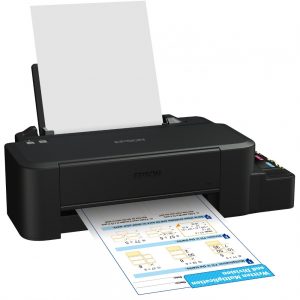
Today, “inkjets” that can be refilled independently are more and more common on sale. SPNCH is included in their package.
Key Features of Inkjet Printers
Now that we have examined the types of technology, we will learn about the basic characteristics of any inkjet printer.
Devices include the following parameters:
- Print resolution.
- Number of colors.
- Print speed in color and black and white pages.
- Cartridge Resource.
- The maximum monthly printer resource.
- The capacity of the paper tray.
- Ability to print on various types and sizes of paper.
- Permissible paper weight.
Prices depend on these parameters.
Pros and Cons of Inkjet Printers
Any technique has its drawbacks and strengths. Inkjet printers are no exception.
Pros:
- The price of inkjet printers is lower than laser printers.
- Lower printing costs.
- Easy replacement of cartridges (with SPCH the possibility of self-refueling).
- Small body dimensions.
- Good print quality, especially on photo paper.
- Easier and less costly to maintain.
Minuses:
- It is impossible for the “inkjet” to stand idle for a long time, otherwise the heads begin to dry out.
- Slow printing compared to laser devices.
- Sophisticated print head cleaning.
- Small paper trays.
How to make a choice
To correctly choose a printer with inkjet printing technology, you need to determine your needs.
For those who need a device for home and a small amount of printing (50-200 pages per month), models with cheap consumables and interchangeable heads are suitable.
In a small office or when working at home with a load of 100-400 pages per month, you can look at standard cartridge printers.
With a load of 300 or more pages per month, it is better to buy an inkjet printer with a SPNCH.
When choosing a model, you should pay attention to interfaces, additional modules, and OS compatibility. Black and white will be more practical for those who plan to print only documents. Color will allow you to transfer to paper any file in a full range of colors.
Other technical parameters also depend on individual needs.
Rating of the best models
Introducing the 2019 ranking of the best inkjet printers in terms of quality, reliability and features.
Canon PIXMA iP2840
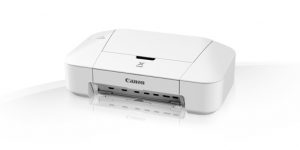
- wide selection of cartridges (by type of ink, capacity)
- quick print
- compact
- build quality
- compatibility with all operating systems
- reliability
- high cost of consumables
- no borderless printing mode
- small test cartridges included
This printer is a great option for home. Prints on a wide range of media at high speed. The quality of the picture on photo paper is sufficient, for example, to provide photos in organizations of various kinds. With the help of simple operations - cartridges can be refilled manually.
Canon PIXMA TS304
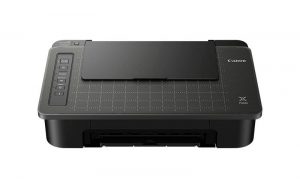
- compact, stylish
- piezoelectric principle of printing with a small drop size
- economical
- borderless printing
- wireless connection
- included - small capacity cartridges
- difficulties when working with multiple users through a wireless connection
- for each convenient function (wireless connection, web interface, AirPrint) you will have to install software
Positioned as a personal device, the Canon PIXMA TS304 fully complies with this description. He is fast, sparingly consumes paint. When used by one person will not create any problems. It can work on a wide range of media, printing up to 4 images per minute with maximum quality.
Canon PIXMA iP7240
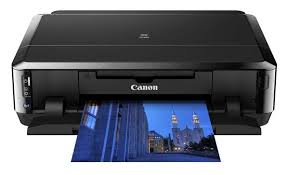
- high-quality printing in 5 colors
- high speed
- wireless connection
- printing on a wide range of media, CD DVD discs
- duplex mode
- direct printing from a camera or other device
- long start
- long shutdown
- very critical to ink quality (self refilling)
- low volume of complete cartridges
- the difficulty of setting up a wireless connection
Canon PIXMA iP7240 can be safely called the ideal device for home or small office. The printer works with a wide range of media, takes up little space on the table, and is made in a stylish, neat design. Closed trays are undoubted convenience: paper does not stick out and does not collect dust. A huge advantage of the device is the ability to manually reload cartridges, which greatly reduces the cost of printing.
Epson Stylus Photo 1500W
- Type: wide format inkjet color printer with piezoelectric printing system
- Maximum paper size - A3
- Number of colors - 6
- It is possible to quickly connect to an SPNCH
- The maximum format of color and b / w printing is 5760 × 1440 dpi
- Print speed - 16 ppm (b / w A4), 16 ppm (color A4)
- 100-sheet paper tray capacity
- Permissible paper density - 64-300 g / m2
- B / W Cartridge Yield - 470 pages
- Color Cartridge Yield - 810 pages
- Additional functions - printing on cards, transparencies, labels, photo paper, CD / DVD-ROMs, glossy paper, envelopes, matte paper
- Interfaces - Wi-Fi, 802.11n, USB 2.0
- Compatibility - Windows, Mac OS
- High-quality, clear, vivid printing
- Works fast
- Low noise
- You can connect the SPNCH
- Warranty period 18 months
- Missing display and USB cable included
The printer is focused on small business and home use. Ideal photos, the possibility of applying labels and images to various media, high performance - all for comfortable use and creativity. Despite the multifunctionality, the printer has a compact body, it can easily fit even on the edge of the table.
Canon PIXMA PRO-100S
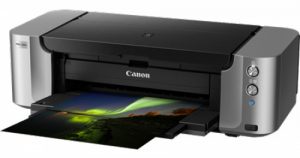
- Type: wide format inkjet color printer with piezoelectric printing system
- Maximum paper size - A3
- Number of colors - 8
- It is possible to quickly connect to an SPNCH
- The maximum format of color and b / w printing is 4800 × 2400 dpi
- Paper feed tray capacity - 151 sheets
- Permissible paper density - 64-350 g / m2
- Additional functions - printing on cards, transparencies, labels, photo paper, CD / DVD-ROMs, glossy paper, envelopes, matte paper
- Interfaces - Ethernet (RJ-45), Wi-Fi, 802.11n, USB 2.0
- AirPrint - there is
- Compatibility - Windows, Mac OS, iOS
- Professional photo quality
- There is a Wi-Fi module
- The presence of a mobile application and the ability to print through it
- Can print borderless
- Very accurate hue
- Quiet
- Sophisticated wireless connection, you need to carefully study the instructions
- It takes a long time to configure
Epson m100
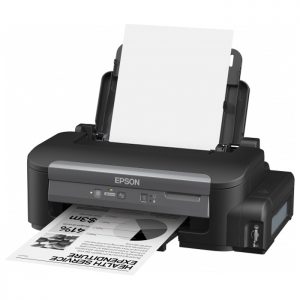
- Type: Inkjet black and white printer with piezoelectric printing system
- Maximum paper size - A4
- Number of colors - 1
- The maximum format of color and b / w printing is 1440 × 720 dpi
- Print speed - 34 ppm (b / w A4)
- 100-sheet paper tray capacity
- Permissible paper density - 64-95 g / m2
- Resource b / w cartridge - 6000 pages
- Additional functions - printing on cards, labels, glossy paper, envelopes, matte paper
- Interfaces - Ethernet (RJ-45), USB 2.0
- Compatibility - Windows, Mac OS
- Quick
- The print is clear, does not get dirty, does not blur.
- Economical
- Built-in proprietary CISS
- Low cost of maintenance
- If you don’t print for a week or two, the head dries and requires cleaning
Canon imagePROGRAF iPF685
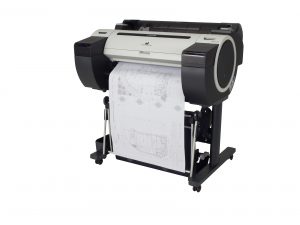
- Type: wide format professional thermal inkjet printer with thermal printing system
- Accommodation - floor
- Printing on transparencies, photo paper, glossy paper, matte paper, roll
- Maximum paper size - A1
- The maximum roll width is 24 inches. (61 cm)
- Number of colors - 5
- The maximum format of color and b / w printing is 2400 × 1200 dpi
- Interfaces - Ethernet (RJ-45), USB 2.0
- Compatibility - Windows, Mac OS
- High-quality printing
- Fast, productive
- There is a hard drive
- Low printing cost
- Not found
Canon imagePROGRAF iPF770 with stand
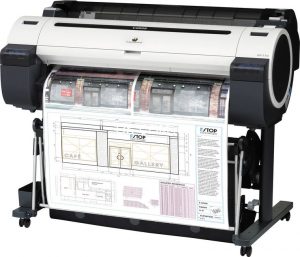
- Type: wide format professional thermal inkjet printer with thermal printing system
- Accommodation - floor
- Printing on transparencies, photo paper, glossy paper, matte paper, roll
- Maximum paper size - A0
- Number of colors - 6
- The maximum format of color and b / w printing is 2400 × 1200 dpi
- Interfaces - Ethernet (RJ-45), USB 2.0
- Compatibility - Windows, Mac OS
- Easy cartridge installation
- Clear print
- It works fast and not very noisy
- Low cost of printing and discussion
- Low head life
- Large and heavy
We hope that the review will help you choose a high-quality inkjet printer that meets your exact needs.


