Cheap inkjet printers are gradually giving way to more expensive laser printers. This is due, among other things, to the fact that it is the latter that are recognized as the most economical in service. They need to be refueled less often, and the price tag for supplies does not go off scale.
If earlier laser printers were firmly associated only with black and white printing and offices, now there are a great many of them - color, with double-sided printing, of various formats - for every taste and budget. But it is precisely this variety of models and the fairly extensive range of prices that make it difficult to choose the right device for the home.
Content
Choosing a color laser printer: what to look for
So that it does not happen that your household or you yourself will scold yourself for overpayments, extra functions, buying too expensive a device or premature failure, you need to consider some nuances. When choosing a model of a good color laser printer, you should pay attention to the following indicators:
- Dimensions and format. It is unlikely that a simple layman will want to purchase an A3 laser printer, weighing 120 kg and costing 77 thousand rubles. Such a device is clearly not suitable for home use. The choice usually stops at a more standard format - A4. Such devices are normal, and they won’t take up a lot of space, and to transfer it from one place to another, you don’t have to convene all the stairwell neighbors to help.
- Performance. You need at least to know how often you plan to use the printer. On the packaging manufacturers indicate the recommended maximum number of prints per month. This figure has a small effect on the price of the device. If you try to save money and buy a printer with a lower indicator, this will end with its quick breakdown. Of course, the device does not have an impression counter, which stops working after a certain number of pages and resumes it next month. But the parts will wear out much faster. For example, even an ordinary student will have enough productivity of 2000 pages. Of course, if he does not print graduation and term papers to order.
- Print resolution. The quality of the resulting print depends on this factor. Printers are produced with a resolution of 300x300, 600x600 and 1200x1200 dpi. Accordingly, the higher the resolution, the higher the quality of the print. If only texts are to be printed on the device, a minimum resolution will be sufficient. With the printing of images effortlessly cope with the maximum. Since these figures also affect the price, it is worth pointing out that the average figure is quite suitable for both tasks.
- Brain. And to be more precise - the memory and processor of the device. The printer has RAM. It is used when starting to print both single-page and multi-page files. The standard is 2 MB. This volume is quite enough for printing text documents and other simple tasks. If you have to often work with presentations or weighty files, you should choose a device with lots of memory. There is a third option - for the future. Some models are equipped with a slot for connecting an additional RAM module. That is, when such a need arises, you can simply add to the memory aggregate. The processor clock speed is responsible for the speed of the device. The optimal indicator is considered to be from 100 MHz or higher. With a smaller printer noticeably “slows down”.
- Compatible with operating systems. This option is important for those who are not working on Windows. Any printer can "make friends" with this OS. If you have another OS, you should check if there are drivers for it.
- Connect to a computer.Now most printers work through a USB input. This is the standard way to connect. There are models for local networks (when there are several computers in the house) and with Wi-Fi connection. Accordingly, the price of such models will be higher.
- Ergonomics. Before you decide and buy your favorite printer model, think about where you put it. Here you should take into account the direction of the paper trays (horizontal or vertical) and, of course, the distance to the outlet. This is commonplace, and therefore very disappointing when you have to pull a lot of wires due to the fact that the power cord was 2 cm shorter than necessary. Tray volume also plays a role in the usability of the device. The optimal are considered trays of 50 and 100 sheets (at the entrance and exit, respectively). The size of the model should also be considered. In the store, everything always seems smaller due to the vast area of the trading floor.
- Additional functions. Here, too, you need to think about whether you need, for example, two-sided printing. On some models, the function of economical printing is installed - when it is used, the powder consumption is reduced by a third. Also a good saving. Although, this factor has no big influence on the price.
- Service. Cartridges have to buy. Even if they are refilled, buying a new one will only be delayed in time, and then not for long. Therefore, it is worth paying attention to the price of not only the printer itself, but also the cartridges for it.
- Manufacturer. Here you need to choose more reliable. Either the company in which you are personally confident, or the best one according to the results of numerous surveys and reviews. And also you should find out the address of the nearest service center, just in case. If he is in another city, it is better to think twice - even in the model of the largest companies, factory marriage can cunningly crept in.
Now you know exactly how to choose a color laser printer. Subject to all of the above factors, your purchase will serve for a long time and with high quality.
Review of the best models of color laser printers and MFPs 2019
Canon i-sensys lbp7018c
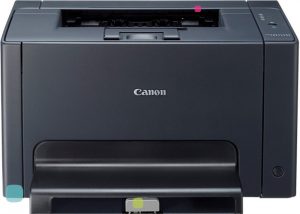
- Device type: printer
- Technology: Laser
- OS Support: Windows, Linux, Mac OS
- Power consumption:
- standby mode - 7.0 W
- at work - 868.0 W
- Print speed:
- b / w - 16 ppm
- color - 4 ppm
- Noise Level: 50dB
- Dimensions: 400x398x223 mm
- Weight: 12.3 kg
- Warranty / Manufacturer: 1 year, China
- good print quality, inexpensive supplies
- suitable for text and graphics
- not found
This model is ideal for use in a home environment, the printer is unpretentious in use and maintenance, a set of toner and chips can be ordered on the Aliexpress website.
KYOCERA ECOSYS P5021cdn
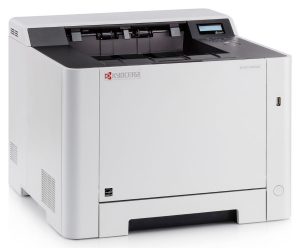
- Device type: printer
- Technology: Laser
- OS Support: Windows, Linux, Mac OS, iOS
- Power consumption:
- standby - 33 W
- at work - 245 W
- Print speed:
- b / w - 21 ppm
- color - 21 ppm
- Sound Level: 45.4 dB
- Dimensions: 410x410x432 mm
- Weight: 21.0 kg
- Warranty / Manufacturer: 2 years, China
- high-quality full-color two-sided printing, compactness
- works on a Wi-Fi network, prints from a flash drive
- original cartridges are expensive
An excellent purchase for a small load, it prints quickly, but at the same time it is not as noisy as other analogs.
Ricoh SP C260DNw
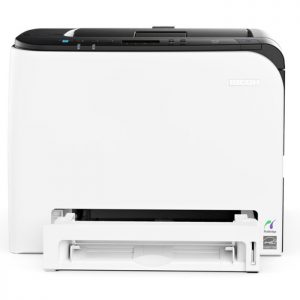
- Device type: color printer
- Technology: Laser
- OS Support: Windows, Linux, Mac OS, iOS, Android
- Power consumption: at work - 1300 W
- Print speed:
- b / w - 20.0str / min
- color - 20.0 ppm
- Noise Level: 68.5 dB
- Dimensions: 400x420x320 mm
- Weight: 23.8 kg
- Warranty / Manufacturer: 36 months, Japan
- good compactness, two-sided printing
- high quality color photographs
- not found
The printer is designed for small offices or work in a home environment. The resolution of 1200 dpi allows any printouts of fairly high quality, direct printing from a USB flash drive or via Wi-Fi is possible.
Canon i-sensys lbp7010c
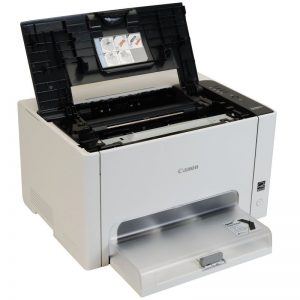
- Device type: desktop printer
- Technology: Laser
- OS Support: Windows, Linux, Mac OS
- Power consumption:
- standby mode - 7.0 W
- at work - 868.0 W
- Print speed:
- b / w - 16 ppm
- color - 4 ppm
- Sound exposure level: 50 dB
- Dimensions: 400x398x223 mm
- Weight: 12.3 kg
- Warranty / Manufacturer: 12 months, China
- good compactness, print quality
- easy installation, fairly simple maintenance
- original cartridges are expensive
This is an original desktop printer for home use, takes up little space, and copes with its tasks perfectly. Prints fast black and white text and color photos.
HP Color LaserJet Enterprise M553n
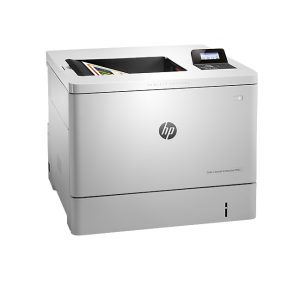
- Device type: printer
- Technology: Laser
- OS Support: Windows, Linux, Mac OS
- Power consumption:
- standby - 33.7 W
- at work - 617.0 W
- Print speed:
- b / w - 38 ppm
- color - 38 ppm
- Noise level:
- standby - 32 dB
- at work - 51 dB
- Dimensions: 458х479х399 mm
- Weight: 27 kg
- Warranty / Manufacturer: 1 year / Hewlett-Packard Company, Japan
- fast work, good color rendition
- excellent compactness, good photos
- not found
A fairly high-quality assembly of the printer with excellent color reproduction and very fast work - the first sheet comes out in 6-7 seconds, before starting work, you need to install the driver and restart the OS, then it works without failures.
HP Color LaserJet Pro MFP M280nw
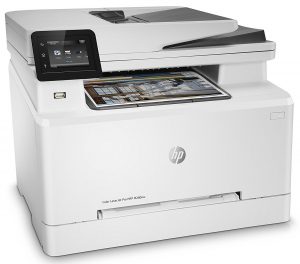
- small dimensions and weight
- quality technical solutions
- single button operations
- acceptable print speed
- wireless connection
- insufficient print speed for office use
- low engine life, number of copies per month
- low print and scan resolution
- prolonged warming up of the scanner lamp
This MFP from a famous brand is positioned as a universal solution. At home, its capabilities will be enough, but in an office environment, the model is suitable only for use by a small number of users.
Canon i-sensys mf633cdw
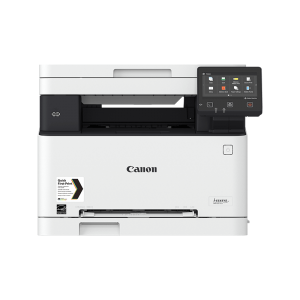
- high print speed
- quickly detected when connected wirelessly
- there is an option of inexpensive non-original cartridges
- low noise
- weak trays
- no physical buttons on the panel for copy, scan operations
- poor print quality
- low scan quality, long warm-up
The MFP is rather cumbersome, but does not create any special difficulties in the form of noise or overheating. In an office environment, a product cannot satisfy the needs of a large team, especially if you use a wireless connection.
HP Color LaserJet Pro MFP M180n
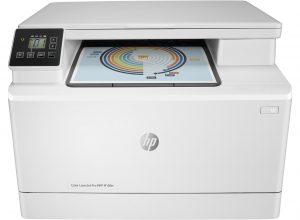
- compact body
- thoughtful ergonomics
- good print quality on plain paper
- quick setup and connection
- high print speed
- poor print quality on photo paper
- service software freezes
- low productivity for the office
- high cost of supplies
Positioned as a model for a small office, it will show itself well only in a small team. The cost of consumables (cartridge and recharge) is great for a home user. But at the same time with its shortcomings - the MFP will please with its unpretentiousness, quiet operation and excellent print quality on plain paper.


We have a LaserJet CP1025 color printer. On the one hand, a good printer, but ... The so-called bad sides more than enough. Of course, a very high level of cartridge prices. Relatives, that is, the manufacturer, cost between 6-8 thousand rubles per cartridge ... And there are four of them in the printer ... Cartridges that can replace the manufacturer's cartridges cost around 2 thousand, no less. But, there is one very bad component of this printer. In the control program for this device, some programs have been introduced that prevent the use of foreign cartridges, although these others are no worse than the manufacturer’s cartridges ... Moreover, the device management program can completely block any cartridge that has been charged. And, moreover, it seems to me that katrind have a short term of use, not because of any mechanical damage, but in a programmatic way ...
As a result, the constant replacement of all cartridges, otherwise the device will not work, creates, simply, an unbearable cash expense ...
It’s better to buy a CISS inkjet printer for your home, and you can print documents and print photos, ink is cheap compared to cartridges. e.g. epson l132
Only the inkjets do not suffer long downtime - the nozzles dry out. And often, the ink is not moisture resistant and fades in the sun in a week