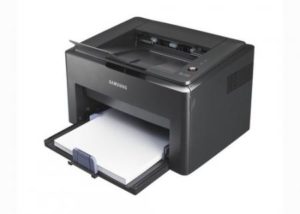
 The average user cannot delve into the intricacies of choosing a particular device in the context of the success of its structural solution and other factors. However, everyone wants to buy the cheapest laser printer, which should work well and not cause problems. Before you go to the store, you should familiarize yourself with some information that allows you to make a choice of a model that will not disappoint.
Content
Purchase price
If you come to a store that sells peripherals for computers and walk along racks with printers, one fact cannot be ignored. All models from different manufacturers are divided into conditional groups in accordance with the characteristics or imaging techniques. For instance:
- MFP or device for printing only;
- laser or inkjet printer;
- relatively inexpensive, middle class and elite devices that can print directly from a flash drive and have other advanced functionality;
- models with a network interface or wireless connection.
Laser color printers are significantly more expensive than their black and white "brothers". But the average user needs a simple home assistant to print text, so this is the segment of devices that will be considered.
A budget printer for the home will go to its owner for almost the same amount, regardless of who the manufacturer of the device is. At the same time, the functionality and the main list of printing options will also be almost identical for different models.
What is the price of the printer
The future owner of a high-tech device for forming images on paper is worth knowing: a printer is not only worth the money that you paid for it in a store. Conditionally, user spending can be divided as follows:
- acquisition cost - the price paid for the printer;
- expenses for mandatory periodic maintenance, which includes the replacement of parts that wear out over time;
- money to be paid for refueling;
- the price you have to pay for replacing the cartridges or servicing them, restoring the drum unit, new drive gears;
- cost of consumables.
Based on the above cost items, we can conclude: a really cheap black-and-white or color laser printer is not the one that has the most attractive price tag for the wallet in the store, but the one that has good performance in all cost estimates. It is on them that we will make a stop, having the selection criteria in order.
Refueling and expenses for this operation
The cruelty of the modern world is that printer manufacturers do not seek to make life easier for the user. The goal of the companies is profit, so today it is impossible to buy an inexpensive laser printer with the possibility of refueling. Cartridges are protected by chips, the prices of these devices are high, software and hardware systems when printing control the number of pages and the fact of installing a new toner tank.
However, not everything is as bad as it would seem. Service centers have learned how to refill cartridges with electronic protection. In this case, you can immediately make printers available for home printers. The list looks like this:
- At the top of the rating - company products Canon. Here it is possible to replace the control chip, one cartridge model is used in a series of devices, while refueling can be carried out by different classes of toner without a noticeable deterioration in print quality.
- Breathes the brand leader in the back HP. In fact, there has been a trade war on the market for a long time, at which Canon and HP try to seize the competitor’s profits by offering the consumer a variety of solutions. From the point of view of the mechanics of the printer, HP is a little better, and they are also more preferable for those who have a weak computer, since part of the calculation of the data is done by their own hardware complex. Refueling capabilities are very similar to Canon, while there is compatibility by type of cartridge and toner.
- Cheap, unpretentious, with reliable technical solutions - printers Samsung. However, they are far from leadership or any noticeable popularity. The reasons for using only certain brands of toner, as well as the difficulties of refueling. Not all types of cartridges can get around hard protection, and not all workshops can refill the rest.
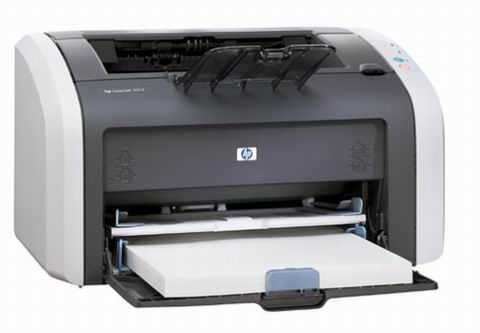
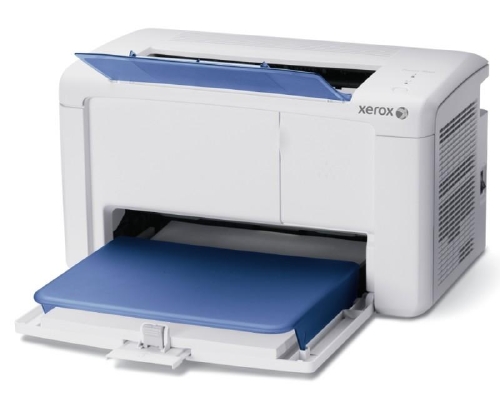
It makes no sense to consider products from non-proliferating firms in the home appliance segment. For example, Minolta printers use only branded toner, which is often difficult to buy. Xerox MFPs have very thin electronic protection, so refueling a whole series of devices is simply not possible - you have to buy a new cartridge. OKI printers cost more and do not show significant advantages over competitors.
The main detail that affects the cost of refueling is the type of toner. Most HP and Canon printers work with a number of the most common powders on the market, which cannot be said for products from the OKI, Minolta, Brother, Xerox brands. It is worth remembering that, even if the print quality has not decreased after refilling the cartridge with the recommended toner, the number of pages issued by the printer is reduced. Therefore, a model that allows refueling with several types of powder is much more attractive in terms of periodic costs.
Service and Parts
You can see the line in the documentation for the modern printer: it is designed for 4000 copies. The number may be different, it means the recommended resource, after which the device will need maintenance. This does not mean that the printer will stop. However, the appearance of creaks is quite possible, an increase in the number of sheets to be chewed, distortions and other minor difficulties.
If there is no choice, you can buy the cheapest laser printer with the final recommended working life between maintenance procedures. However, it is better to prefer more reliable solutions. Such a printer will also require care sooner or later, but there will be no noticeable difference in performance after the thousandth and, for example, three thousandth copy.
The main cost item relates to emergency situations. If you evaluate printers by this criterion, the products of HP, Canon are sharply ahead in the ranking of attractiveness. There are many spare parts for them; as a result, their price is low. A service center, regardless of its class, is likely to have everything you need to make repairs or maintenance in a short time when contacting the owner of the printer.
Cartridges, their service and features
As mentioned above, the goal of modern companies is to make a profit. Therefore, a black-and-white or color laser printer purchased at the store will be equipped with a test cartridge designed for a small number of prints.
The cartridge does not last forever, its drum unit, even if paper clips and debris do not get into the printer, gradually wears out. A similar process occurs with gears. Therefore, they need to be changed periodically. The cost of such a service is low, and if you approach the choice of a printer wisely, the operation of restoring the ideal condition of the cartridge will be performed quickly and inexpensively in the average service center.
The last subtleties
Suppose that before going to the store the following has been done:
- the future owner has decided on the desired printing capabilities, in particular, the speed of the printer (pages per minute);
- briefly reviewed the documentation in search of manufacturer recommendations for device maintenance;
- by type of cartridge, a list of models where it is used is evaluated. This assesses, in particular, the availability of spare parts: a drum and gears.
The most advanced users can search on the forums on the Internet for the type of toner, read reviews on printer behavior when refueling with another powder.
If there is no possibility, time, sufficient awareness to select a printer model for specific indicators, you can do quite simply. Head to the service center. Ideal would be a company that is certified for after-sales service of several brands at once. Do not ask questions to the girl at the reception or the boys of the reception department in white shirts. Specific advice can only be obtained from engineers.
The statement of the problem or the request to the specialists is as follows: advise a printer that, figuratively, doesn’t bite the whole pocket when buying, will not arrange fights with the operating system and will not pretend to be god, requiring offerings of gold in cases of refueling or periodic maintenance. After leading questions from the engineers, sensible recommendations will surely sound.
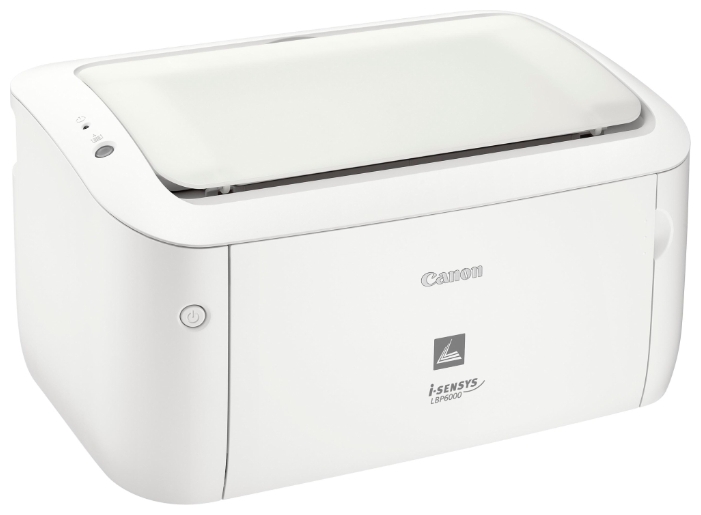
For example, they can advise Canon i-Sensys LBP6000. The printer is fast, unpretentious, reasonably priced at a cost, uses universal and common brands of toner, there are no problems with spare parts, frequent periodic maintenance is not required. “Brothers in a series” look similar: LBP2000 is cheaper, but somewhat slower, LBP6600 guarantees the fastest printing of the first page.
Rating of the cheapest laser printers in 2019
Pantum P2207
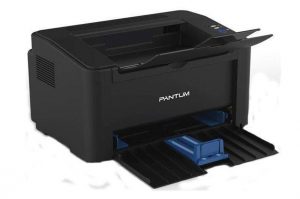
- Device type: printer
- Technology: Laser
- OS Support: Windows, Linux, Mac OS
- Power consumption:
- standby time - 30 W
- at work - 370 W
- Print Speed: B / W - 22 ppm
- Noise Level: 52dB
- Dimensions: 337x220x180 mm
- Weight: 4.7 kg
- Warranty / Manufacturer: 24 months / China
- compact, quick start, good print quality
- good technique for use at home or in the office
- not found
Perhaps this is the most optimal model of a home printer for all technical parameters: the first sheet comes out after 7-8 seconds, you can print on envelopes, matte or glossy paper. Within a month, he will issue 15 thousand sheets of finished products without problems.
Ricoh SP 150w
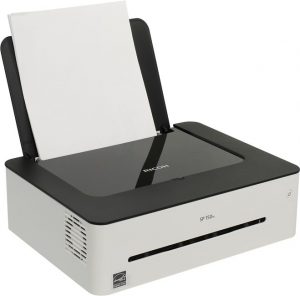
- Device type: b / w printer
- Technology: Laser
- OS Support: Windows, Linux, Mac OS
- Power consumption:
- standby mode - 50 W
- at work - 880 W
- Print Speed: B / W - 22 ppm
- Interfaces: Wi-Fi, USB 2.0
- Sound exposure level:
- standby mode - 30 dB
- during operation - 62 dB
- Dimensions / Weight: 351x266x106 mm / 6.5 kg
- Warranty / Manufacturer: 36 months / China
- very attractive minimalist design
- easy connection and settings via Wi-Fi
- pretty high print quality
- no sheet receiving tray
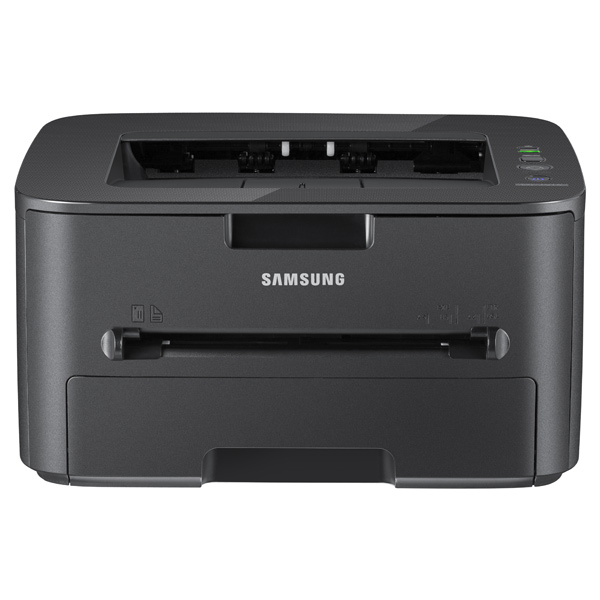
Samsung Xpress M2020
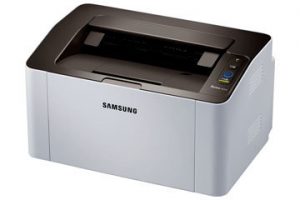
- Device type: printer
- Technology: Laser
- OS Support: Windows, Linux, Mac OS
- Minimum System Requirements: Intel Pentium III
- Power consumption:
- standby time - 30 W
- at work - 310 W
- Print Speed: B / W - 20 ppm
- Noise level:
- standby mode - 26 dB
- during operation - 50 dB
- Dimensions / Weight: 332x215x178 mm / 3.97 kg
- Warranty / Manufacturer: 1-2 years / China
- setting no more than 15 minutes, prints via Wi-Fi
- works flawlessly, refilling cartridges without firmware
- not found
Ricoh SP 150
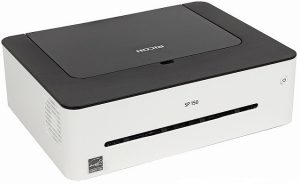
- Device type: black and white printer
- Technology: Laser
- OS Support: Windows, Mac OS
- Power consumption:
- standby mode - 50 W
- at work - 880 W
- Print Speed: B / W - 22 ppm
- Noise Level: 57.6 dB
- The amount of internal memory: 64 MB
- Dimensions / Weight: 351x226x106 mm / 6.5 kg
- Warranty / Manufacturer: 3 years / China
- simple home appliances with fast printing
- cartridges can be refilled after flashing
- no tray for accepting printed sheets
HP LaserJet Pro M104a
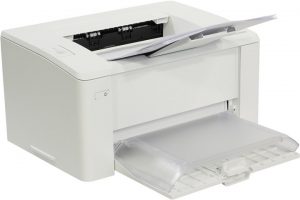
- Device type: printer
- Technology: Laser
- OS Support: Windows, Mac OS
- Power consumption:
- standby time - 1.7 W
- at work - 380.0 W
- Print Speed: B / W - 22 ppm
- Sound exposure level: 51 dB
- Memory capacity: 128 MB
- Dimensions / Weight: 365x467x332 mm / 4.7 kg
- Warranty / Manufacturer: 1 year / Hewlett-Packard Company, Vietnam
- compact, normal print quality
- there is a closed paper tray
- working loudly and rather slowly
- very expensive supplies
Most of the complaints from users come precisely for this model: extraneous sounds when printing, there is no USB cable, high prices for cartridges and toner, which are very difficult to pick up, there are also a lack of original ChiPs.
Conclusion
After receiving recommendations or studying reference materials, you can go to the store. Here we have to make the last choice, focusing on a model that has a convenient paper feed mechanism, a good list of printed materials, and also special features (network connection, wireless, built-in menu, working with a USB flash drive). As a result of a thoughtful approach, you can buy a printer that will be inexpensive not only in the category of “store price tag”, but also for all other indicators.


I agree that Canon is a leader in printers. Where I worked (5 different organizations) Canon printers stood. Reliable. In my memory, the maximum malfunction occurred when paper with iron staples from the stapler accidentally got into the printer. Although the staples could not cause significant and irreparable damage - they got it and again everything began to work normally. Print quality was not affected.
Are you seriously??? Cheap printer for 6000 ??? For the money you can take a decent quality MFP !!! A cheap printer costs 2500 and works long and fun!
Canon are great printers, but the HP LaserJet Pro P1102 is no different than the Canon in the same price range. I recently purchased such a printer at a discount on auto and for 3 months of use I did not find any disadvantages. Compact, high-quality assembly. It is not too heavy, it prints excellently, and I print a lot of text material at work. Warms up quickly. At the expense of service - a very affordable service for the price, the same applies to refilling the cartridge. Sometimes it is embarrassing that he gives out only 14 pages per minute, and the consumption of 1 cartridge is 600 pages, but in general this is not so problematic.
Everything seems to be spelled correctly. But HP and Canon are in the lead, and in the ranking - HP is in last place with serious shortcomings, and Canon is completely absent ...
Samsung M2020 works with microchipped cartridges, it just won’t be able to fill up, and besides, it counts the sheets as soon as 1000 has printed, everything falls in quality, although the toner is still dofig, shorter shit