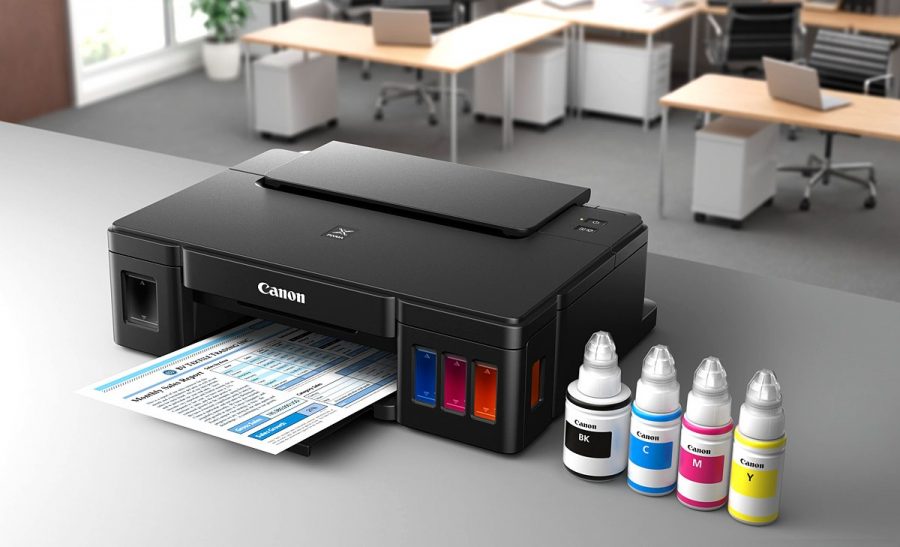
Solve the problem of expensive maintenance of inkjet printers will help MFPs with refillable cartridges, models of which are on the market in a fairly wide range, so every consumer can choose the right option. Such devices have several advantages, the main of which is to save on maintenance, or rather, the purchase of expensive original cartridges.
Content
Features of Refillable Ink Cartridge MFP
Long gone are the days when printing technology cost a lot of money and was not available to many consumers. Now the market is filled with profitable offers. The most popular inkjet models due to their low price. Multifunctional devices running on inkjet technology can not only print, but also scan, copy, send faxes, so the demand for them is constantly growing.
Inkjet MFPs and printers have a serious flaw - the high cost of maintenance. Sometimes the price of new original cartridges is more than half the cost of the device itself. The problem was resolved when refillable cartridges appeared. They are installed in place of the original consumables, but their main difference is that the paint can be added to them. They do not have a chip, like some modern models, which stops the printer if the ink in the cartridge is less than 20-30%.
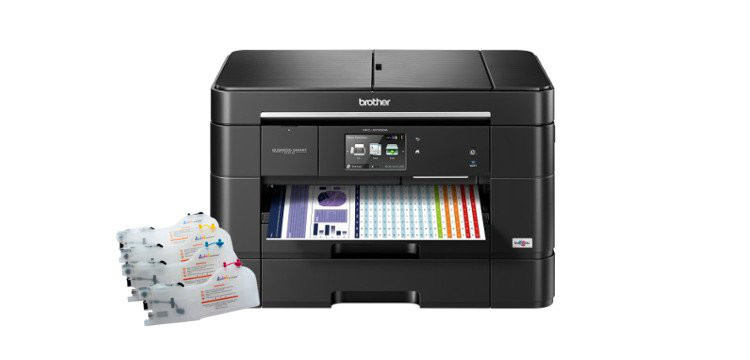
Initially, manufacturers installed protection against the possibility of topping up paints, but high competition in the market contributed to the fact that well-known brands produce multifunction devices with refillable cartridges. This gives you the opportunity to choose a model that will provide high quality printing of documents and photos and will be inexpensive to maintain.
Advantages and disadvantages of PZK
Refillable cartridges do not differ in size and appearance from the original supplies, but have holes for refilling ink. Printers with such cartridges can be refilled on their own, without contacting the after-sales service and spending more money. PZK have many advantages:
- saving money on supplies (you only have to buy ink);
- ease of maintenance (you can add paint with a syringe at a convenient time on your own);
- ease of installation and use (refillable cartridges are easily installed in the housing of the printing device);
- low cost per print.
Refillable cartridges also have disadvantages. Due to the small volume of the tanks (5-15 ml), it is often necessary to add paint. Since the cartridges remain invisible, the process of monitoring the ink level is impossible without getting out of the case. If air enters the head, the printer may malfunction. Some modern models are equipped with a sensor that signals when the paint runs out and prevents the device from malfunctioning.
If you compare the advantages and disadvantages of refillable ink, it is obvious that the pros win, as they reduce maintenance costs by tens of times.
Refillable cartridges or CISS?
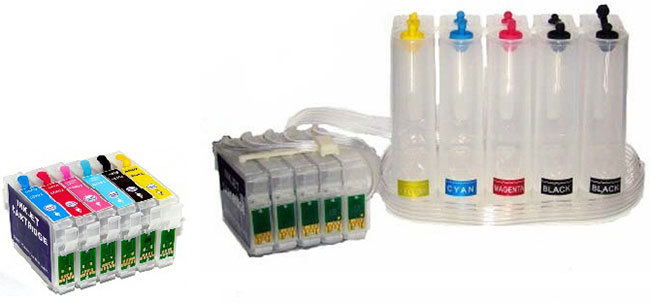
Both the NPS system and refillable cartridges can significantly reduce maintenance costs and refuse to buy expensive original cartridges.Both options allow the consumer to add ink on their own, but each of them has its own characteristics, pluses and minuses.
CISS MFPs are more cumbersome because ink tanks are separate. They are harder to carry, but they need to be refueled less often, since ink containers have quite large volumes, which means that ink lasts longer. The cost of such devices is more expensive compared to models with refillable cartridges.
If you are buying an MFP for the office, then it is better to choose an NPS system. For home use, a more affordable and not inferior in cost device with cartridges, which have a refueling function, is well suited. In addition, there is no point in overpaying if you plan to print in small quantities and infrequently.
Overview of popular MFP models with slam-shut devices
Canon PIXMA TS5040
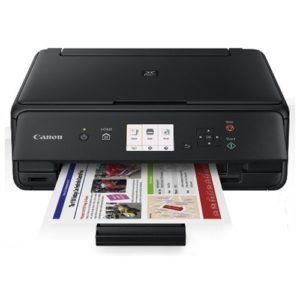
- Device type: printer / scanner / copier
- Technology: Piezoelectric Inkjet
- OS Support: Windows, Mac OS, iOS
- Power consumption:
- standby - 1.6 W
- at work - 12.0 W
- A4 print speed:
- b / w - 12.6 ppm
- color - 9.0 ppm
- Noise Level: 44 dB
- LCD diagonal: 3.0 inches (7.62 cm)
- Dimensions / Weight: 375x315x126 mm / 5.5 kg
- Warranty / Manufacturer: 12 months / CANON Inc., Vietnam
- compact device, high-quality printing
- Wi-Fi data transfer possible
- printing color photographs on photo paper
- no duplex printing
- high ink consumption
The model is not intended for installation of a CISS, because the device will simply drown from the ink flow. The best solution is to order ink and refills in China, no different from the original cartridges for this model.
Canon PIXMA MG2540S
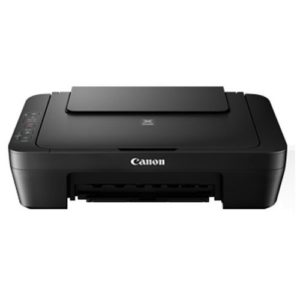
- Device type: printer / scanner / copier
- Technology: thermal, inkjet
- OS Support: Windows, Mac OS
- Power consumption:
- standby - 1.0 W
- at work - 9.0 W
- A4 print speed:
- b / w - 8.0 ppm
- color - 5.0 ppm
- Dimensions: 426x306x145 mm
- Weight: 3.5 kg
- Warranty: 1 year
- Manufacturer: Vietnam
- high functionality 3in1
- convenient maintenance program - there are all the necessary settings
- noise at work
- the scanner only works through the task manager
To save on refueling, you must immediately buy a set of ink and syringes at the nearest pharmacy, then printing will cost much cheaper.
Brother DCP-1512R
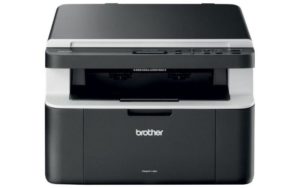
- Device type: printer / scanner / copier
- Technology: Laser
- OS Support: Windows, Linux, Mac OS
- Power consumption:
- standby - 40 W
- at work - 380 W
- A4 print speed:
- b / w - 20 ppm
- first print out time - 10 sec
- Sound exposure level: 51 dB
- Dimensions: 385x340x255 mm
- Weight: 7.0 kg
- Warranty / Manufacturer: 12 months / Vietnam
- comfortable model, everything works like a Swiss watch
- good speed in any mode
- noisy at work, and in standby mode disgusting squeaks
This model is ideal for use at home if you do not need to print a lot and often.
HP Deskjet GT 5810
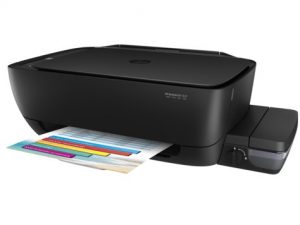
- Device type: printer / scanner / copier
- Technology: thermal inkjet
- OS Support: Windows, Mac OS
- Power consumption:
- standby mode - 2.1 W
- at work - 10.0 W
- A4 print speed:
- b / w - 20 ppm
- color - 16 ppm
- Noise Level: 47 dB
- Dimensions: 525x554x257 mm
- Weight: 4.67 kg
- Warranty / Manufacturer: 12 months / Hewlett-Packard Company, China
- no driver issues, excellent print quality
- longevity of consumables, easy use
- no Wi-Fi data
This model can be redone for CISS, which significantly reduces the financial costs of ink.
HP LaserJet Pro M132nw
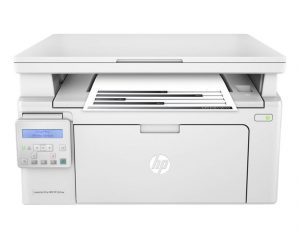
- Device type: printer / scanner / copier
- Technology: Laser
- OS Support: Windows, Mac OS, iOS
- Power consumption:
- standby mode - 4.2 W
- at work - 255.0 W
- Print speed: A4 b / w - 22.0 ppm
- Sound exposure level: 51 dB
- Dimensions: 398х482х388 mm
- Weight: 6.8 kg
- Warranty / Manufacturer: 1 year / Hewlett-Packard Company, Vietnam
- modern design, compactness, availability of Wi-Fi
- has its own email for sending files to print
- difficult to configure Wi-Fi connection
Technology does not stand still, and now you can buy an inexpensive multifunction device that will not be expensive to maintain. Refillable cartridges can reduce costs by tens of times without loss of image quality.


For a long time with my husband we decided which model we would take, we bought a CanonPIXMAMG6640. Very satisfied, working well, especially in the family of two students), I have to print a lot. Everything is fine, no complaints. Yes, and Canon somehow I like.
CISS is definitely still a more modern and economical option, but refilling cartridges is certainly easier. I will say this - if the print volume is not too large, then I would stop at refilling the cartridges, if it is quite serious and regular, then it is better to invest in CISS ...
I have had an MFP with a slam-shut device for a long time, everything seems to be fine, but I realize that this is only subject to a small amount of work, since refueling, whatever one may say, costs money, and the quality is already a little, but getting worse ... If we are talking about serious volumes, it’s better to think about CISS ...
Pretty good model Epson Expression Premium XP-520 Refurbished, I bought it not so long ago. I liked both the appearance and its characteristics, a small display, wi-fi reception also supports, plus two-sided printing. And the print quality is quite fine, for several months There were no problems. In my opinion, it’s just perfect for home.
I use printers with refillable cartridges at work. I do not like the fact that cartridges often break and the contents wake up. Either they are being refueled somehow incorrectly, or they are selling low-quality ones. The print quality is very affected.