Long gone are the days when multifunctional devices combining the functions of three printing devices at once - a printer, a photocopier and a scanner - were used exclusively by employees of offices and the enterprise. Increasingly, MFPs are purchased for home use.
Convert an e-book to a familiar paper look? Add photos taken with a digital camera to the family archive? Create a unique celebration card? With these and many other tasks, modern multifunctional devices can easily cope.
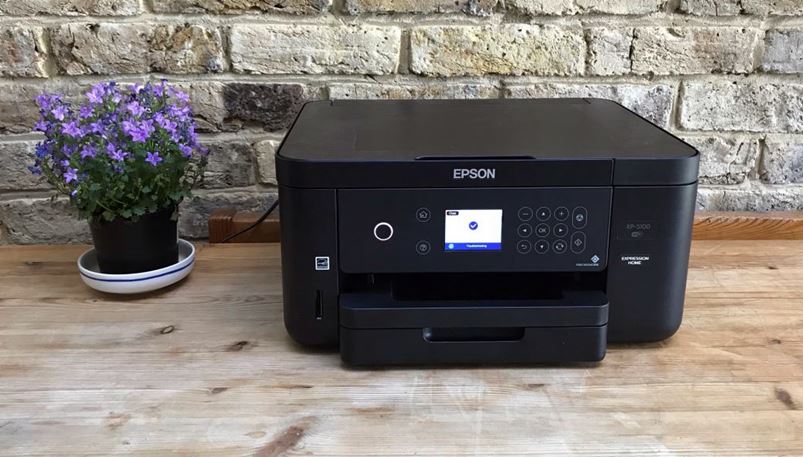
Since this type of equipment belongs to the category of increased technical complexity, and its prices are not the lowest, it is necessary to approach the issue of choosing an MFP with full responsibility.
Content
How to choose an MFP for the home
There are several principles that should be followed when choosing multifunctional devices for the home. The main one is the selection according to the principle of the printing mechanism, depending on the intended functional use.
According to the principle of operation, multifunction devices are inkjet and laser.
Inkjet MFPs
The principle of printing is as follows: through the smallest holes in the head, thin ink micro-jets are applied to the sheet. The application area, intensity and color gamut is determined by the electronic microprocessor.
Advantages:
- low cost of the device;
- simple design facilitates maintenance and increases durability;
- the ability to print with high resolution (more than 5000 dpi);
- sharpness and saturation in color printing due to the use of up to 6 different colors;
- the ability to refill ink repeatedly.
Disadvantages:
- the relatively high cost of one print;
- ink drying during long idle time;
- fast ink consumption.
Based on the properties, inkjet MFPs are mainly used when printing color forms and photographs. You can advise choosing this type of MFP for printing black and white documents in the case when their volume is relatively small, no more than 5-10 pages.
 |  |  | 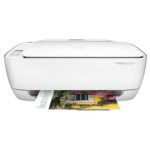 |
|
| Title | Canon PIXMA MG3640 | Canon PIXMA MG2540S | Canon PIXMA TS5040 | HP Deskjet Ink Advantage 3635 |
| Scanner resolution | 1200x2400 dpi | 600x2400 dpi | 1200x2400 dpi | 1200x1200 dpi |
| Print speed | 9.90 ipm | 8 ipm | 12.60 ipm | 20 ppm |
| Printing photos | there is | there is | there is | there is |
| Number of colors | 4 | 4 | 4 | 4 |
| Two-sided printing | there is | no | there is | no |
| OS support | Windows Mac OS | Windows Mac OS | Windows Mac OS | Windows Mac OS |
| Price | from 3700 rub. | from 2000 rub. | from 5000 rub. | from 4200 |
Laser MFPs
More sophisticated devices than inkjet prototypes. Their work is based on the capabilities of the laser beam to create a directed electromagnetic field. A toner powder is deposited on a sheet magnetized in the required areas with a thin layer, which is deposited by high temperature up to 220 degrees.
Advantages:
- very high print speed;
- low cost of each print due to the economy of the toner;
- excellent quality black and white documents.
Disadvantages:
- the high cost of MFPs and components;
- the need for frequent maintenance work due to the negative effect on the nodes of the apparatus of constant action of high temperatures;
- usually low print resolution, which degrades the quality of complex images, especially color.
Multifunctional laser-type devices are perfect for those who need to print large volumes of black and white documents without complex graphic elements. In most cases, such MFPs are not at all suitable for creating photographs, because photo paper becomes unusable due to strong heating. And you can achieve clear, rich images only with the most advanced devices, which, due to the excessively high price, can hardly be classified as “for home use”.
Additional selection criteria
Determining for yourself the most suitable brand of a multifunctional device, you should carefully study the technical characteristics, set of functions and capabilities of each individual device. It is worth considering any, the smallest details, so that further work with the equipment is comfortable and does not cause much trouble.
At a minimum, you need to pay attention to the following points:
- Despite the fact that many models have a network interface, if you need to configure remote operation, you should definitely check the availability of this feature. Convenient may be the function of sending a scanned document to the selected e-mail.
- USB ports allow you to use removable flash drives when operating the MFP. It is necessary to pay attention to the fact that some devices are incompatible with certain file systems of portable drives or do not support them in software over any volume.
- Advanced features have MFPs with embedded telephony features. With their help, you can make calls, send faxes or even send messages to e-mail.
- Properly selected dimensions and colors of the device will allow you to harmoniously install it at home in accordance with the interior design.
Rating of the best MFPs for home
Epson l3070
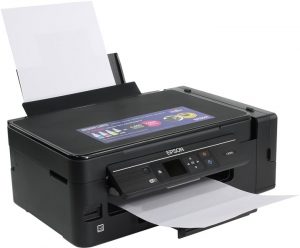
- Device type: printer / scanner / copier
- Technology: Piezoelectric Inkjet
- Power Consumption: 18.0 W
- Display diagonal: 1.4 inches (3.56 cm)
- Print speed:
- b / w - 33 ppm
- color - 15 ppm
- Noise Level: 36dB
- Dimensions: 445x304x169 mm
- Weight: 5.0 kg
- Warranty / Manufacturer: 1 year / Seiko Epson Corporation, Japan
- worthy purchase for 3in1 home
- enough cartridges for a year
- connection via cable or Wi-Fi
- not found
Experts consider this model the most suitable for use at home.
Canon i-sensys mf231
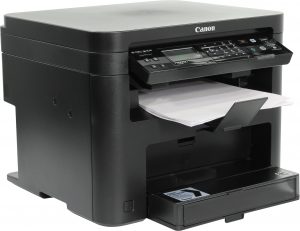
- Device type: printer / scanner / copier
- Technology: laser (black and white)
- OS Support: Windows, Linux, Mac OS
- Power consumption:
- standby mode - 4.2 W
- at work - 1120 W
- Print speed (b / w A4): 23 ppm
- Sound level: 66 dB
- Dimensions: 390x371x312 mm
- Weight: 10.1 kg
- Warranty / Manufacturer: 12 months / South Korea
- great design, high print speed
- convenient control panel with LCD
- not found
Canon PIXMA TS5040
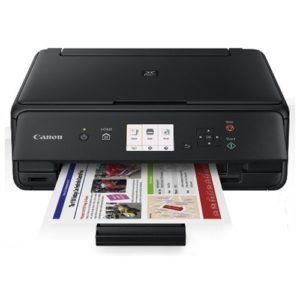
- Device type: printer / scanner / copier
- Technology: Piezoelectric Inkjet
- OS Support: Windows, Mac OS, iOS
- Power consumption:
- on standby - 1.6 watts
- during operation - 12.0 W
- Print speed:
- b / w - 12.6 ppm
- color - 9 ppm
- Color display: 3 inches (7.62 cm)
- Noise Level: 44 dB
- Dimensions / Weight: 375x315x126 mm / 5.5 kg
- Warranty / Manufacturer: 1 year / CANON Inc., Vietnam
- can work on Wi-Fi system
- quick scan of documents
- high-quality printing on plain and photo paper
- not found
Brother DCP-L2500DR
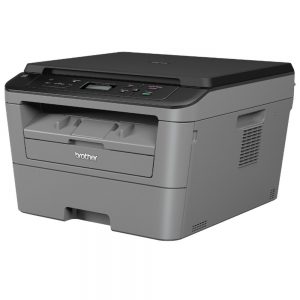
- Device type: printer / scanner / copier
- Technology: Laser
- OS Support: Windows, Linux, Mac OS
- Power consumption:
- standby - 60 W
- at work - 480 W
- Print Speed: 26 ppm
- Sound level: 49 dB
- Dimensions: 409x398x267 mm
- Weight: 9.7 kg
- Warranty / Manufacturer: 1 year / Brother Industries, Ltd., Vietnam
- can refill cartridges, convenient control panel
- double-sided printing with good quality
- not found
Canon MAXIFY MB2140
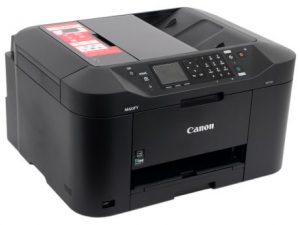
- Device type: printer / scanner / copier / fax
- Technology: Inkjet
- OS Support: Windows, Mac OS, iOS
- Power consumption:
- standby time - 1.0 W
- during operation - 27 W
- Print speed:
- b / w - 19 ppm
- color - 13 ppm
- LCD Diagonal: 2.36 inches (5.99 cm)
- Noise Level: 56dB
- Dimensions / Weight: 463x459x260 mm / 10.6 kg
- Warranty / Manufacturer: 12 months / CANON Inc., Thailand
- double-sided printing
- competent navigation, convenient control
- not found
The 4v1 model is an excellent acquisition for the office; on board there are all the necessary functionalities for the quality work of employees.
HP Deskjet Ink Advantage 5075 M2U86C
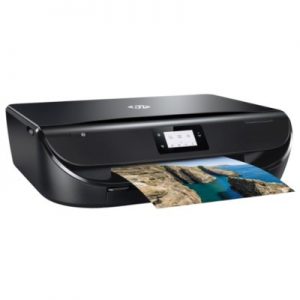
- Device type: printer / scanner / copier
- Technology: thermal, inkjet
- OS Support: Windows, Mac OS, iOS
- Power consumption:
- standby time - 3.75 W
- during operation - 14 W
- Print speed:
- b / w - 20 ppm
- color - 17 ppm
- Display diagonal: 2.2 inches (5.59 cm)
- Capacity:
- feed - 100 p.
- admission - 25 pages
- Dimensions / Weight: 445x564x128 mm / 5.41 kg
- Warranty / Manufacturer: 1 year / China
- solid appearance, long cartridge life
- there is a function of quiet printing
- not found


For the institute I needed to print thousands of pages per semester, I bought an Xerox MFP. He is a black and white laser. Threaded drum lasts 3,000 pages, excellent quality. Inkjet refueling is expensive and enough for a little.
Before, I didn’t know much about the MFP, but a year ago I was driven at work by an old Epson with a CISS (continuous ink supply system), they said that the cartridges were clogged up, if I wanted to clean it, take it. I was skeptical about this, but as they say for free, I took sweet pepper. First he removed the head and soaked it, then put it back and started cleaning, after 10-15 cleaning, he had already started to print, but with the stripes still, after a couple of days, all this had passed. And now, a year has already passed and I have no comments on this printer, it is very hardy, it is not demanding in maintenance. I'm also going to take MFPs now, and I’m not even considering any other company except EPSON.
I bought the HP 4535 three weeks ago. Almost no space in the apartment, little noise. The quality of the issued prints is high, the colors are realistic. A huge number of sheets per day I do not need. I especially liked the remote control via WI-FI. The price is quite affordable.
It’s strange that there are no Kyocera MFPs in the rating ... I’ve been working on it for the 3rd year now, and there are no problems. The only thing became more expensive to maintain, but the quality of scanning and printing is what you need!
Canon have good multifunction devices
In my ranking, Samsung is always in the first place, whatever the technique. I know for sure that they are leaders, and they certify and test all their products. The only thing I don’t like is buying with overpayments in stores, but I prefer to take new devices from individuals on Avito, and even with a guarantee.